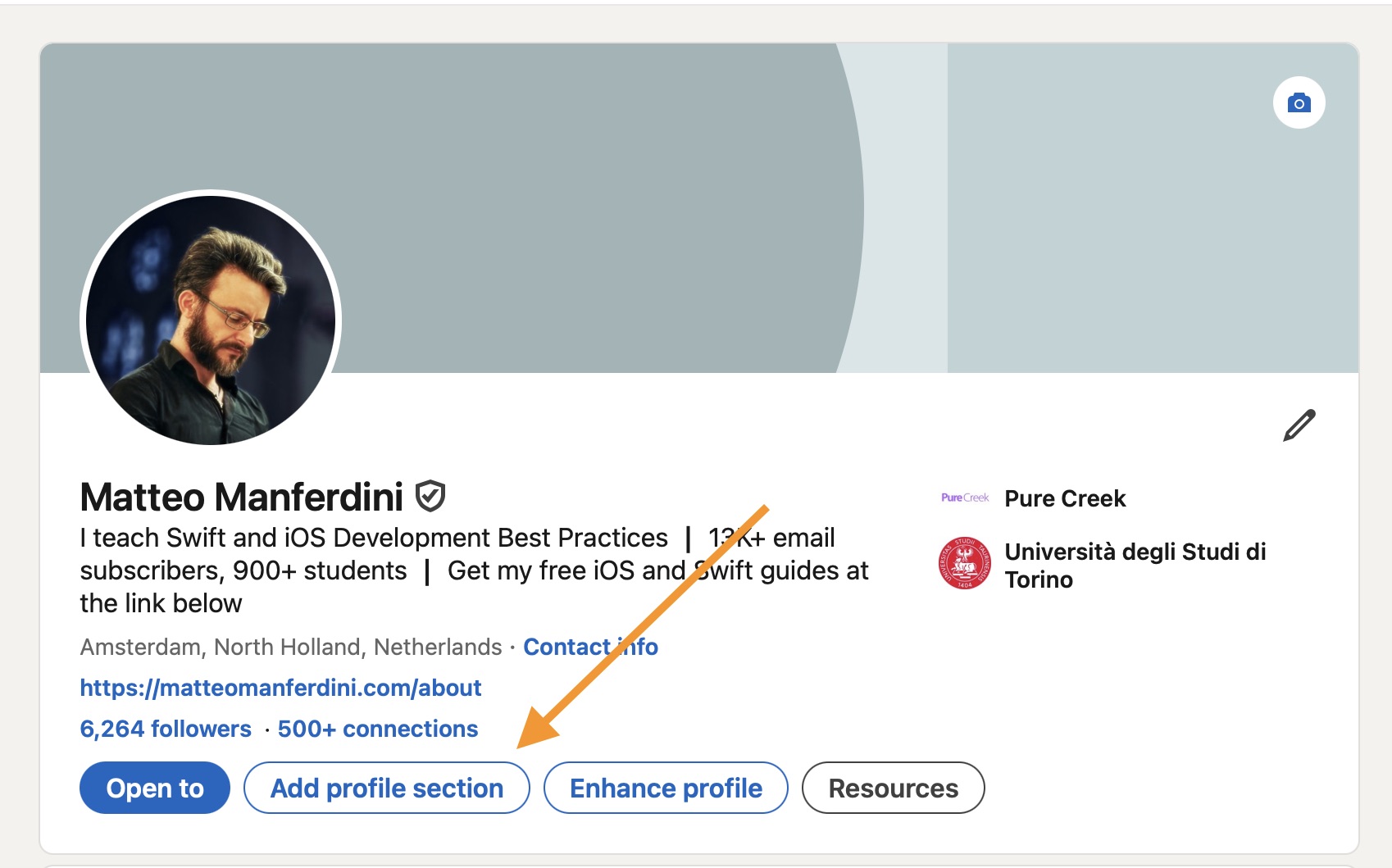
1. Click on the “Add profile section” button
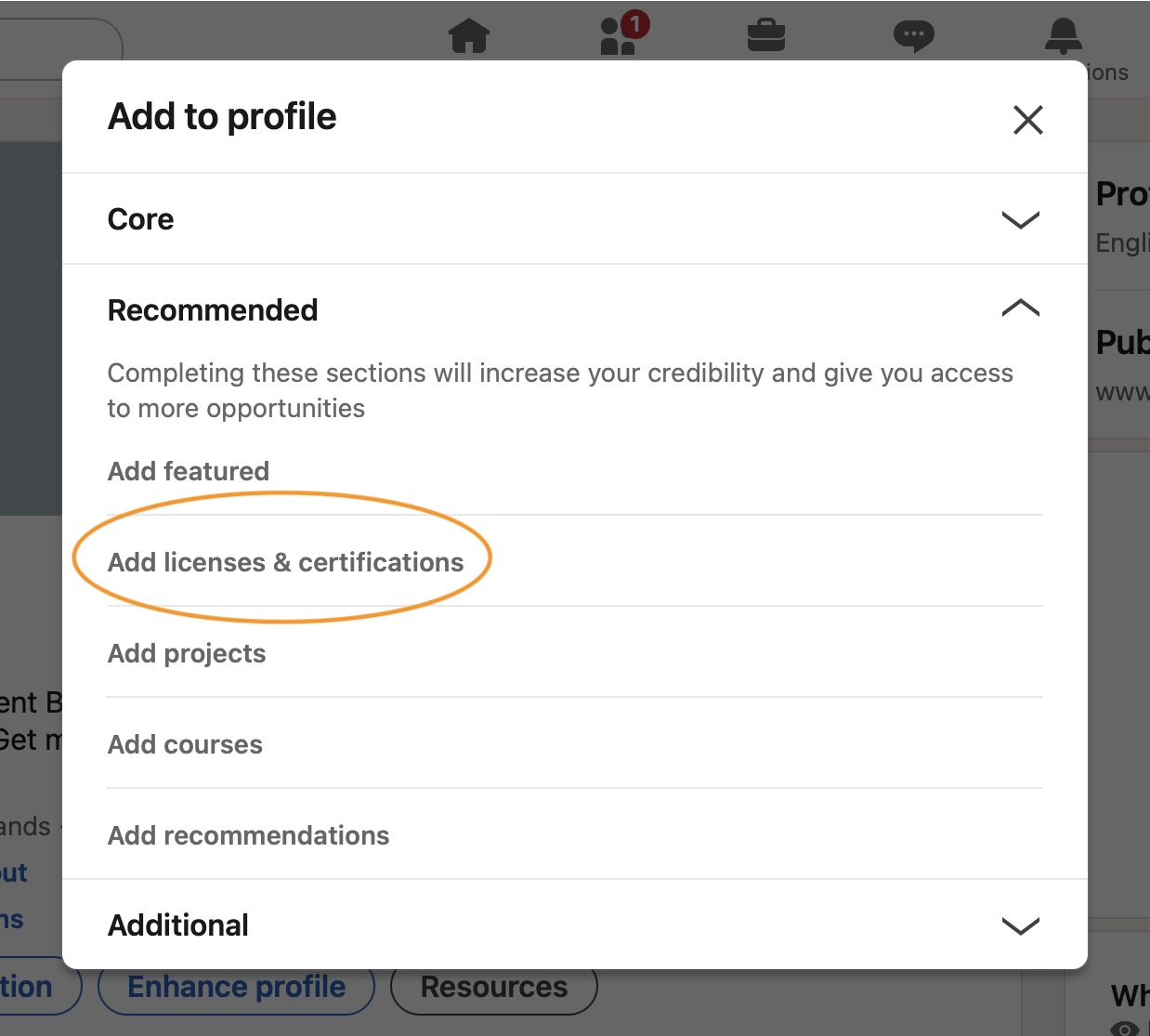
2. Click on the “Add licenses and certifications” menu item
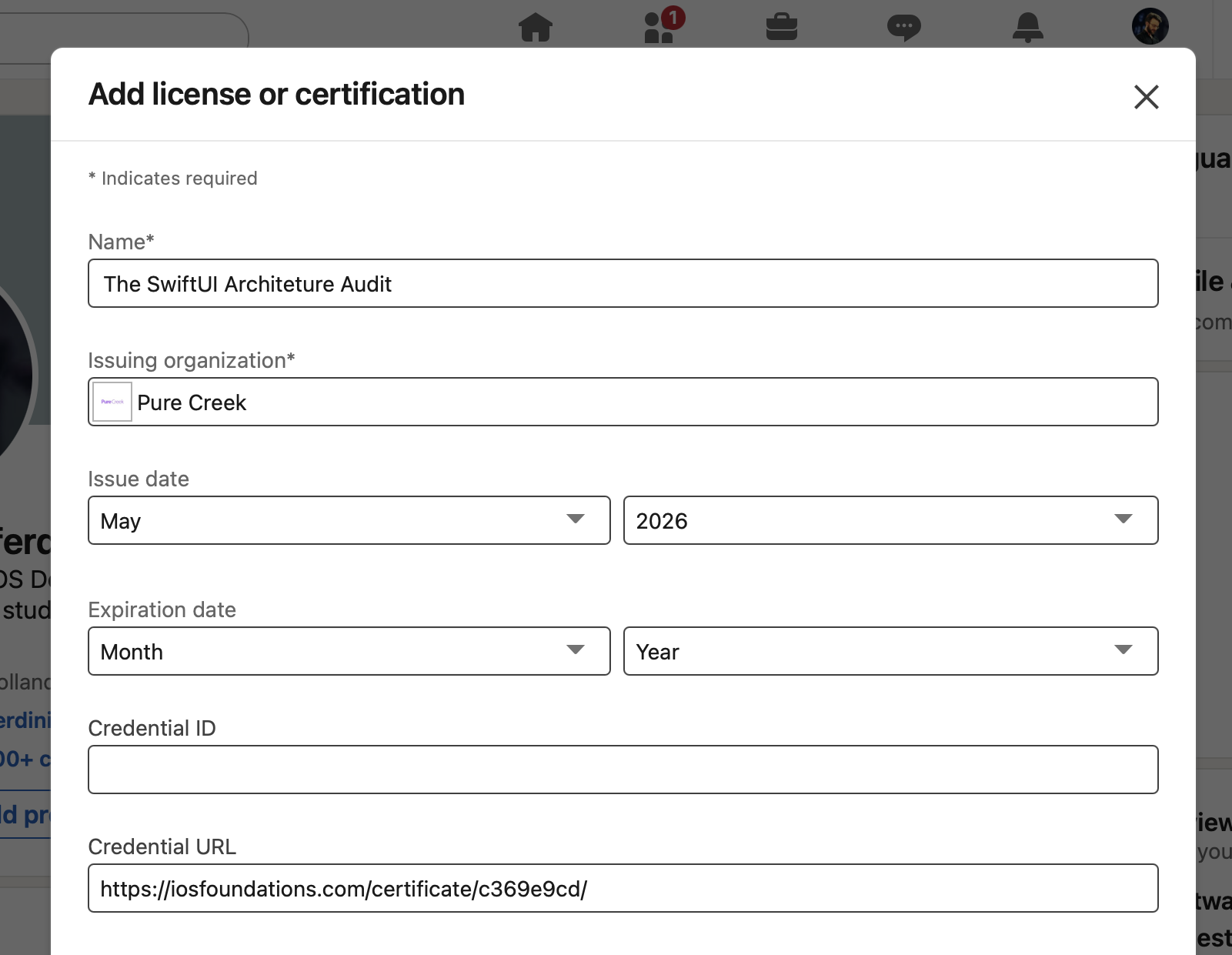
3. Fill in the data fields for your certificate
- Name: The SwiftUI Architecture Audit
- Issuing organization: Pure Creek
- Issue date: You can find the completion date on your certificate
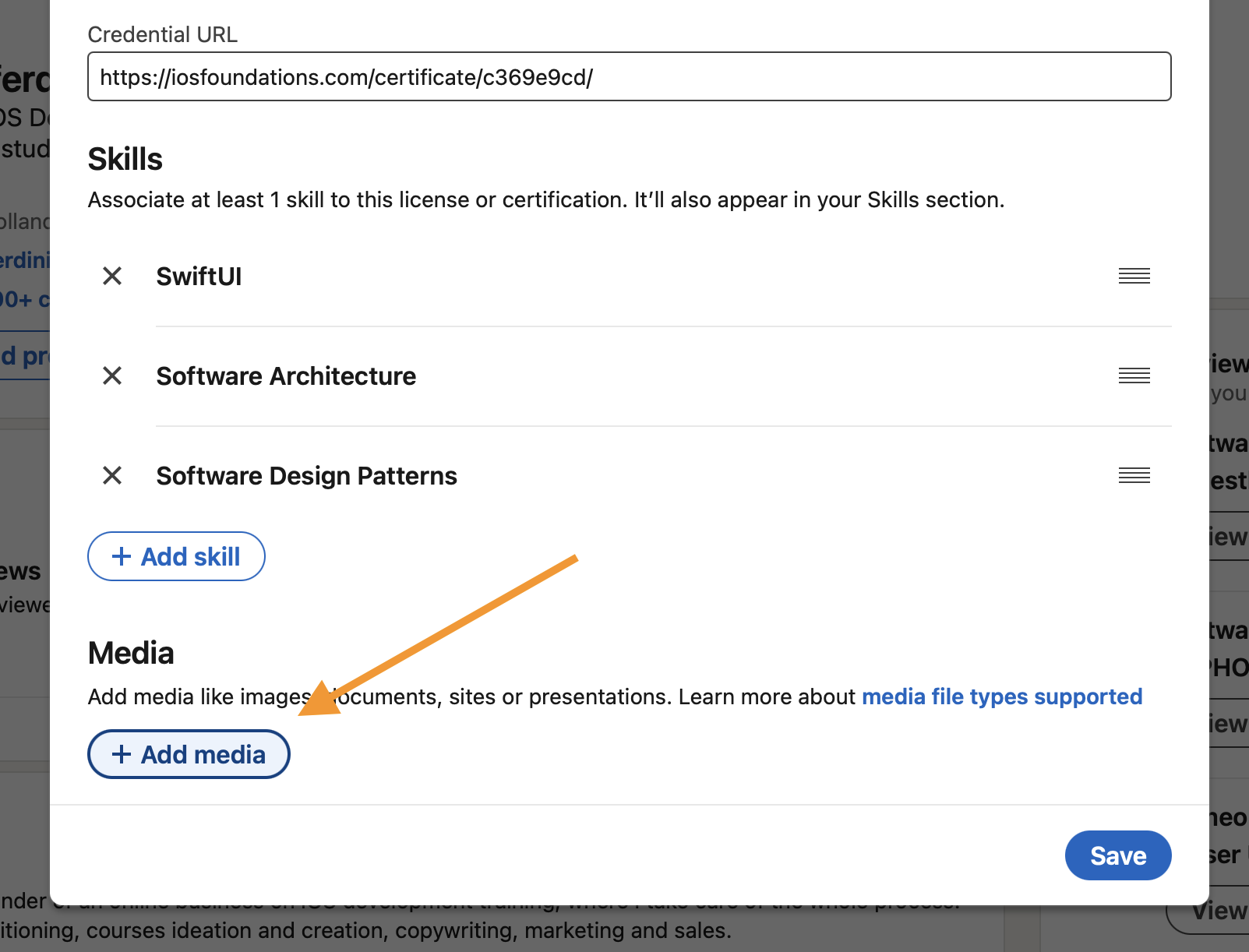
- Credential URL: Copy the direct URL to the certificate from your browser’s address bar.
4. Add at least one skill to associate with the certificate
Recommended:
- SwiftUI
- Software Architecture
- Software Design Patterns
5. Click on the “Add media” button to add the certificate’s PDF
This step is optional, but recommended to make the certificate more prominent on your LinkedIn profile.
You can download the certificate’s PDF directly from the certificate’s URL.
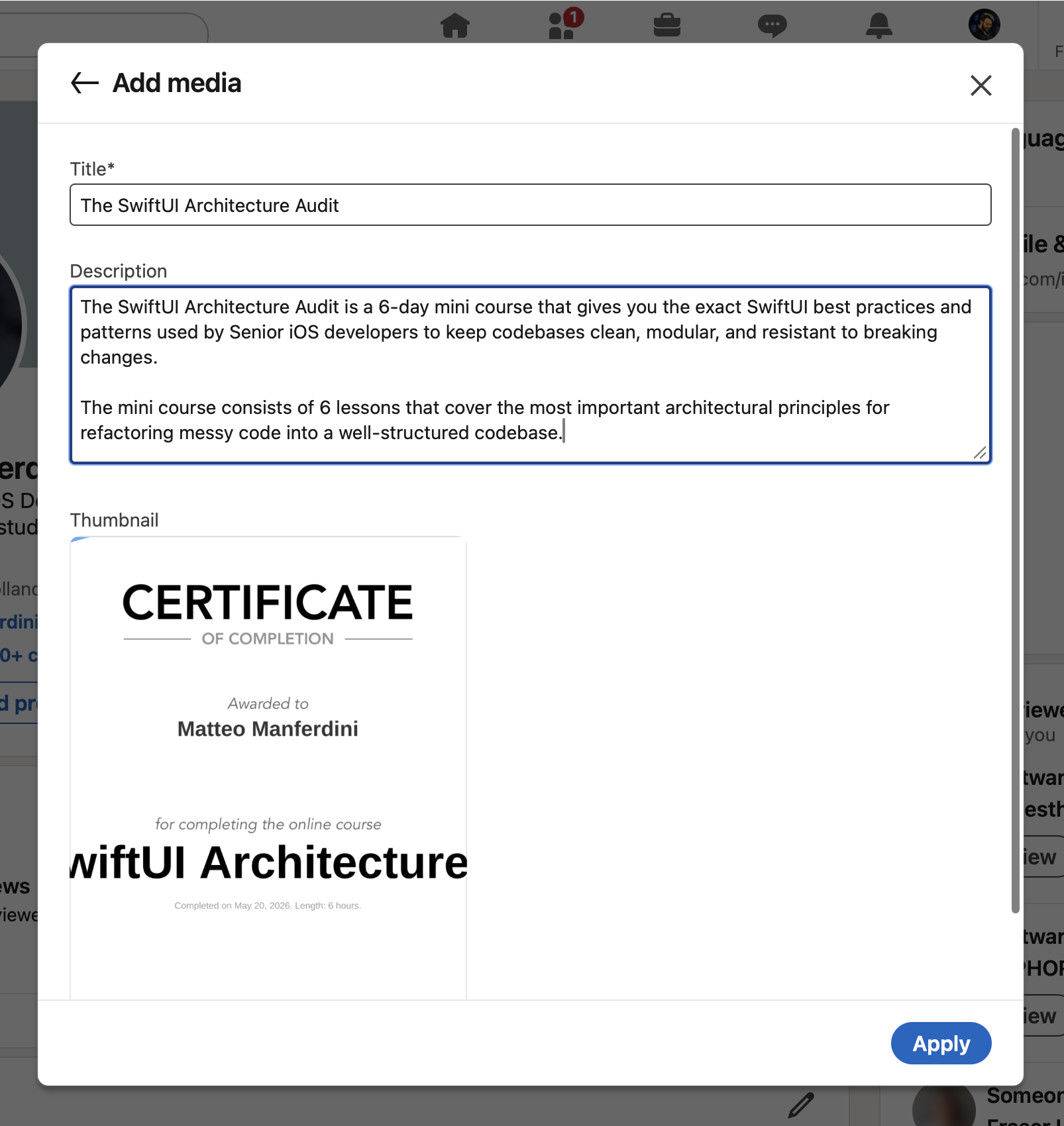
6. Fill the title and description fields
- Title: The SwiftUI Architecture Audit
- Description: A 6-day mini course that gives you the exact SwiftUI best practices and patterns used by Senior iOS developers to keep codebases clean, modular, and resistant to breaking changes. The mini course consists of 6 lessons that cover the most important architectural principles for refactoring messy code into a well-structured codebase.