Without a precise structure, your project becomes a maze where it is hard to find the code you are looking for
Design principles are the cornerstone on which we build our architectural buildings, but they are not the blueprint.
The Separation of Concerns principle and the Law of Demeter guide us in breaking our code into isolated modules that hide their internal details from other modules, producing less coupled code that is easier to understand and change.
They do not, however, tell us how to organize these modules.
Without organization, the structure of a large project is hard to understand, even when its modules are well-written internally.
The execution flow of your code jumps from one type to another along a winding path that is hard to follow, leading to dead ends or back in circles, making it frustrating to find the specific piece of code you are looking for.
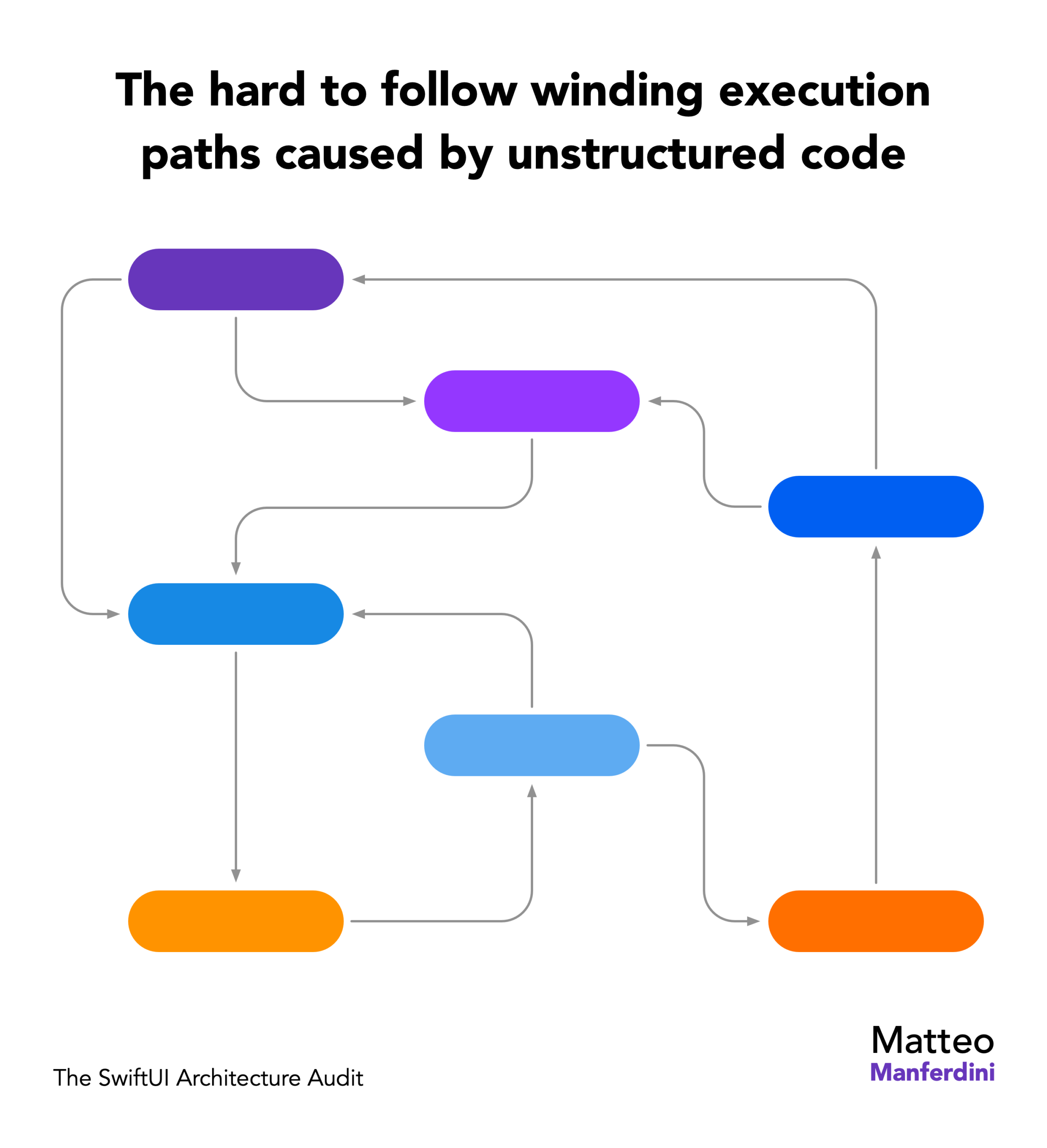
This is where design patterns come into play.
The structural problems that make code hard to understand are not new or unique to your specific codebase. They are recurring aspects of software development that other developers have dealt with before.
Software design patterns are then general, reusable solutions to these commonly occurring problems.
The MVC pattern gives you the structural blueprint underlying all software projects written in the past decades
The Model-View-Controller pattern is the progenitor of all architectural design patterns and is, by far, the most useful, as well as the first one you should learn.
You can compare software architecture to classical architecture. While buildings from different countries and periods differ widely, they share the same constitutive principles and components, such as solid foundations, a roof, doors, windows, and a structure with specific proportions.

The MVC pattern organizes your app modules into three distinct layers to answer the most recurring question when writing SwiftUI code:
Where should this new piece of code go?
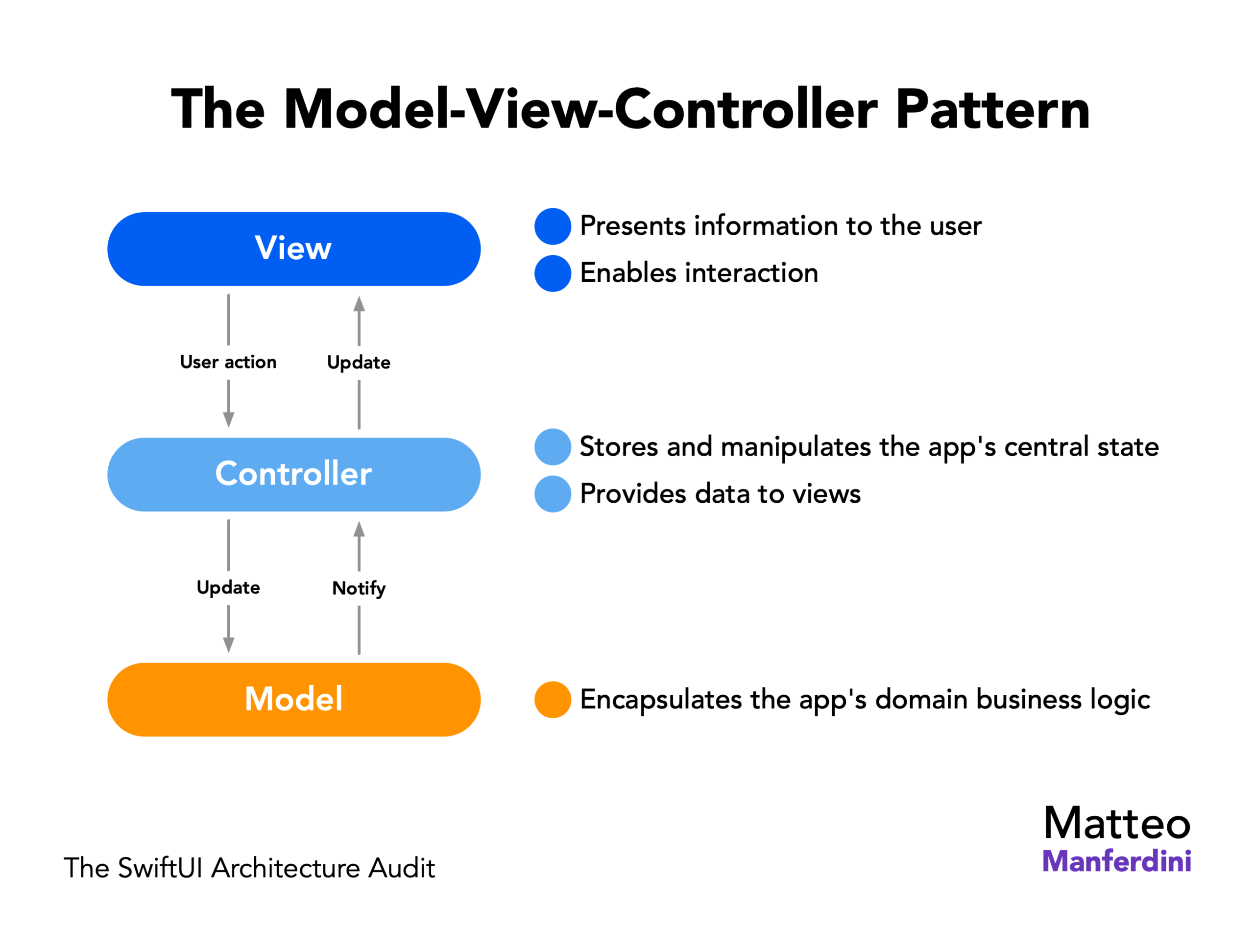
- The model layer encapsulates an app’s domain business logic and data representation, independent of its user-facing visual representation.
- The view layer presents information to the user and enables interaction, independent of the underlying data.
- The controller layer acts as a bridge between the other two layers. It stores and manipulates the app’s central state, provides data to views, and interprets user actions according to the app’s business logic.
The myth of the MV Pattern
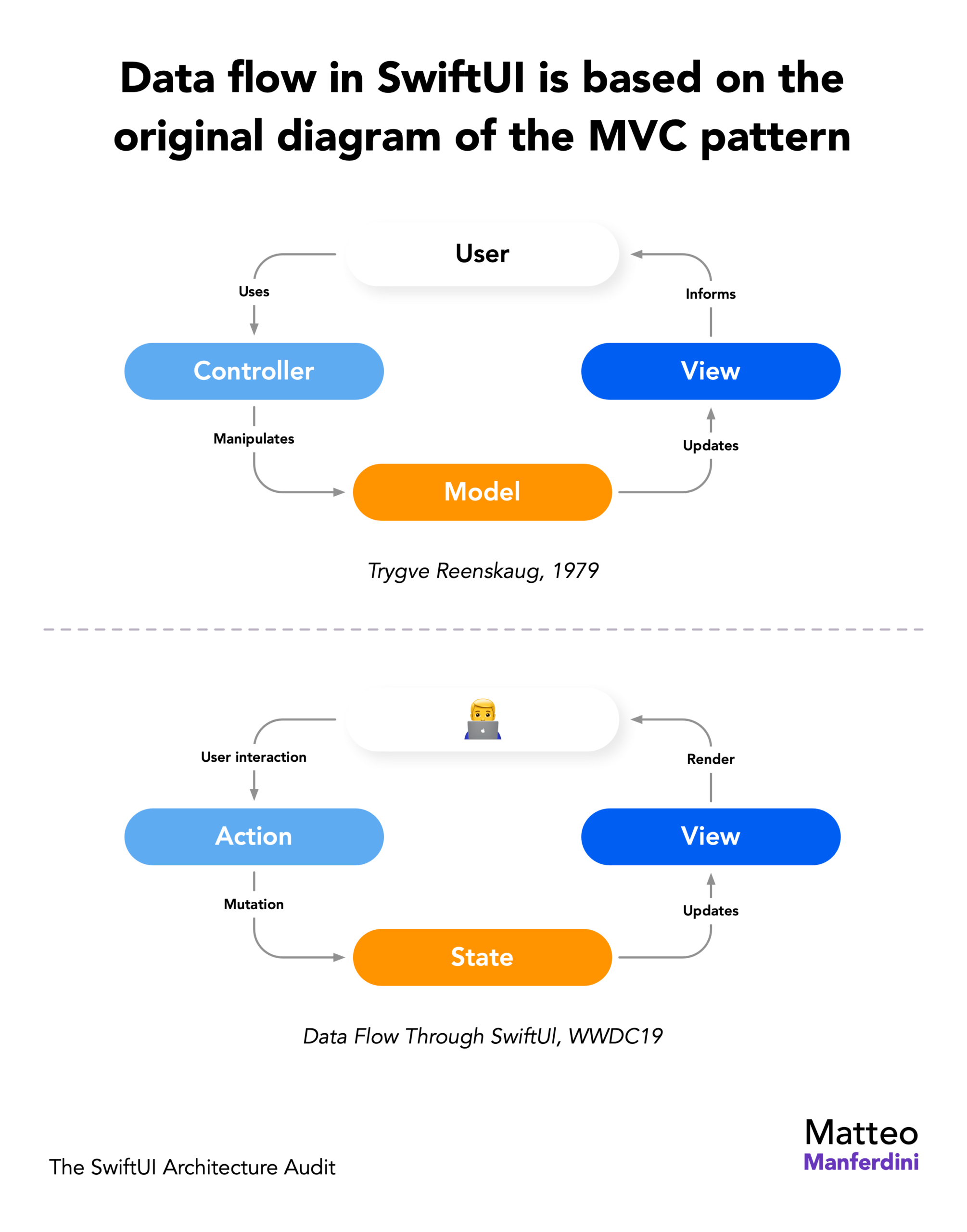
Some developers erroneously claim that design patterns like MVC are no longer relevant in SwiftUI because Apple built the framework on a new pattern they sometimes refer to as the Model-View pattern.
This misconception stems from a misrepresentation of a chart shown in Apple’s WWDC19 talk, “Data Flow Through SwiftUI.”
These developers fail to realize that the diagram is the same as MVC, which was created 40 years before SwiftUI by Trygve Reenskaug, and can still be easily found on Wikipedia
Do this: Find the app’s business logic spread across your SwiftUI views and move it into a shared controller
Removing domain business logic from views and encapsulating it in model types can already drastically improve your app’s architecture, as we saw in the previous lesson.
However, model types should represent only the business domain and should not be aware of your app’s specific implementation details.
For example, a Category type contains a list of transactions and the code to calculate their total balance. However, it should not know where these transactions are stored, e.g., in a JSON file or a SwiftData model context.
That code belongs to the app’s business logic. Unfortunately, like all other code, the app’s business logic often ends inside views, violating many design principles.
Thankfully, we have several code smells that can help us identify when the app’s logic is misplaced. One of its peculiarities is that it is often needed across several views, which produces the duplicated code smell.
The solution is to encapsulate such logic into a shared controller object.
For example, fetching specific data from a database, such as a SwiftData model context, is bound to create code repetition that can be encapsulated in a controller class.
@Observable
final class DataController {
	let modelContext: ModelContext

	init(modelContext: ModelContext) {
		self.modelContext = modelContext
	}

	func fetchTransactions(
		from start: Date,
		to end: Date,
		category: Category? = nil
	) -> [Transaction] {
		return (
			try? modelContext.fetch(
				FetchDescriptor(
					predicate: predicate(from: start, to: end, category: category),
					sortBy: [SortDescriptor(\.date)]
				)
			)
		) ?? []
	}

	private func predicate(
		from start: Date,
		to end: Date,
		category: Category? = nil
	) -> Predicate {
		let predicate = #Predicate { transaction in
			transaction.date >= start
			&& transaction.date < end
		}
		guard let name = category?.name else { return predicate }
		return #Predicate { transaction in
			predicate.evaluate(transaction)
			&& transaction.category.name == name
		}
	}
}
MVC controllers in SwiftUI are instantiated in the main app structure at launch and shared with views that require them through the environment.
@main
struct BudgetApp: App {
	@State var dataController = DataController(
		modelContext: ModelContainer.sample.mainContext)

	var body: some Scene {
		WindowGroup {
			ContentView()
		}
		.modelContainer(.sample)
		.environment(dataController)
	}
}

struct TransactionsView: View {
	let category: Category
	@Environment(DataController.self) private var dataController

	var transactions: [Transaction] {
		dataController.fetchTransactions(
			from: .lastYear,
			to: .today,
			category: category
		)
	}

	var lastMonthTransactions: [Transaction] {
		dataController.fetchTransactions(
			from: .oneMonthAgo,
			to: .today,
			category: category
		)
	}

	var body: some View {
		List {
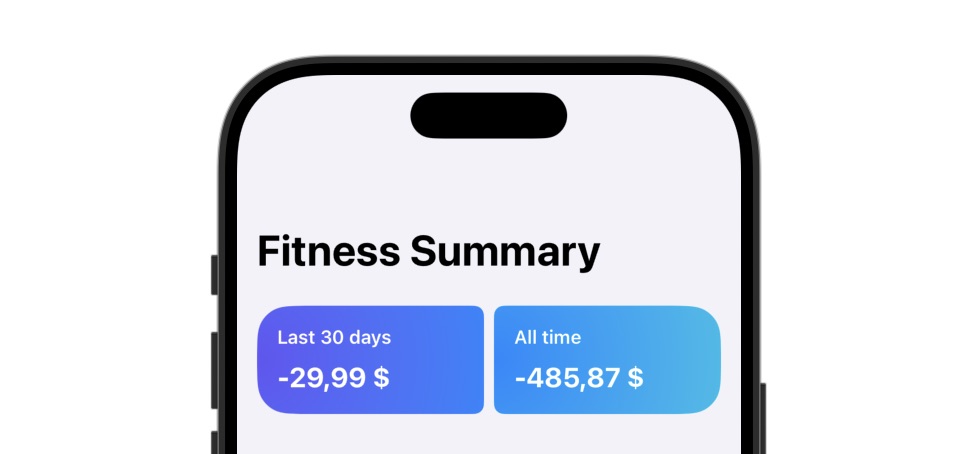
			Summary(
				last30days: lastMonthTransactions.balance,
				allTime: transactions.balance
			)
			// ...
		}
		.navigationTitle("\(category.name) Summary")
	}
}
I usually “test” how pure my model types are by looking at the “imports”. If it is only “Foundation” I consider this an indicator, that the model type is “pure” Model. While importing “SwiftUI” in a model type indicates a code smell, right, because obviously some “presentation logic” has made its way into the model type (e.g. some UI dependent formatting stuff).
But what about programming games? Can there be exceptions, where “importing SwiftUI” into model type can be acceptable, like calculating the current position of a “SpaceShip” meaning you need CGGraphics, SwiftUI, etc. just to store the current ‘position’ of the ship.